

Sleep Number Health Dashboard in Home Assistant: Trends + Bed Controls
Home Assistant 2026.3 brought a bunch of monitoring improvements across integrations I already rely on. The part I wanted most was better day-to-day visibility: not a notification spam-fest, but a clean place to see trends and make quick adjustments.
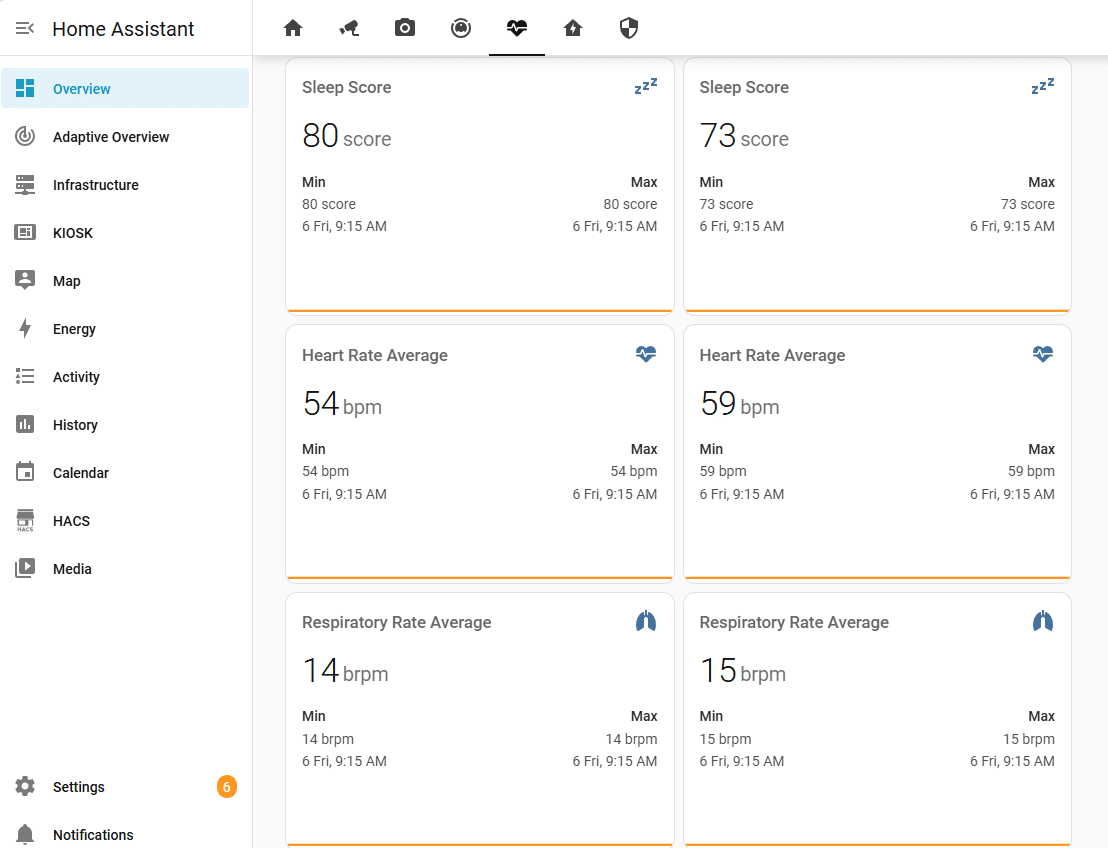
What I Built
- A dedicated Overview Health view that focuses on Sleep Number / SleepIQ metrics (Carlo and Stacey) and exposes bed controls in a two-column panel.
- Trend charts (mini-graph-card) for Sleep Score, Duration, HR, RR, HRV, plus Pressure.
- A compact “Sleep Score Trend” card on the main Overview page that shows both current scores and trends, and navigates to the Health view when clicked.
YAML References
All of this lives in my public config repo:
- Issue #1584
- Health view sections
- Overview Home sections (compact trend card)
- SleepIQ package (automations only, no helper templates)
Compact Trend Card Snippet
- type: custom:mini-graph-card
  name: Sleep Score Trend
  entities:
    - entity: sensor.sleepnumber_carlo_carlo_sleep_score
      name: Carlo
      show_state: true
    - entity: sensor.sleepnumber_carlo_stacey_sleep_score
      name: Stacey
      show_state: true
  tap_action:
    action: navigate
    navigation_path: /lovelace/health
Why Direct Entities
I initially normalized SleepIQ values into helper template sensors for dashboard readability, but it turned out the integration already exposes stable per-sleeper entities for everything I care about. Switching the dashboard to direct entities keeps the config simpler and avoids extra moving parts.
Draft generated with help from Codex
TAGS Bed ControlsHealth DashboardHome AssistantHome Assistant YAMLLoveLaceMini Graph CardSleep NumberSleepIQ