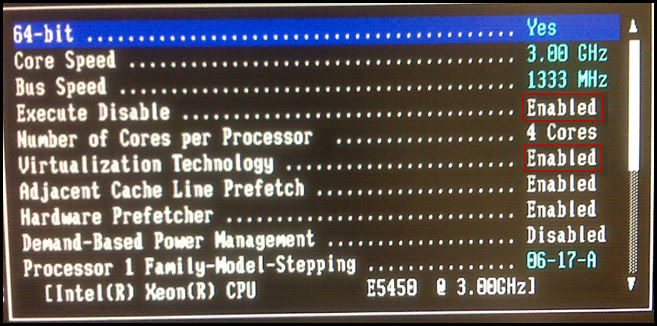
To enable 64-Bit support for Virtual Machines in VMware ESX, you must Enable Virtualization Technology and to configure the ESX host for Enhanced vMotion Compatibility, you must Enable Execute Disable. These settings can be found under the CPU info section of the Dell BIOS. (F2 to enter Dell Bios on the PowerEdge)

Advertisement