By Jacques Bensimon –
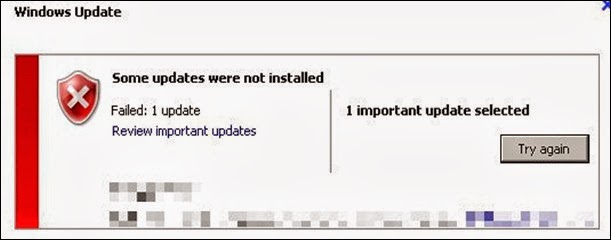
Got this error today trying to perform a Windows Update run on a Windows Server 2008 R2 machine. All the updates were downloaded successfully, but as soon as their installation started, I got this error [0x80243004] (with the message that all updates failed). Looking up the error code, it just means “updates failed” – no help there. Tried a second time, same result.
I noticed however that the tray icon that’s usually there during a Windows Update run was not showing, which reminded me that I had recently added a Group Policy setting to force all tray icons to always be displayed (yet the Windows Update icon was not being displayed). I removed that policy setting, refreshed policies, manually unchecked/rechecked the “show all tray icons” setting (not the exact name), and the next update run worked perfectly. Weird!