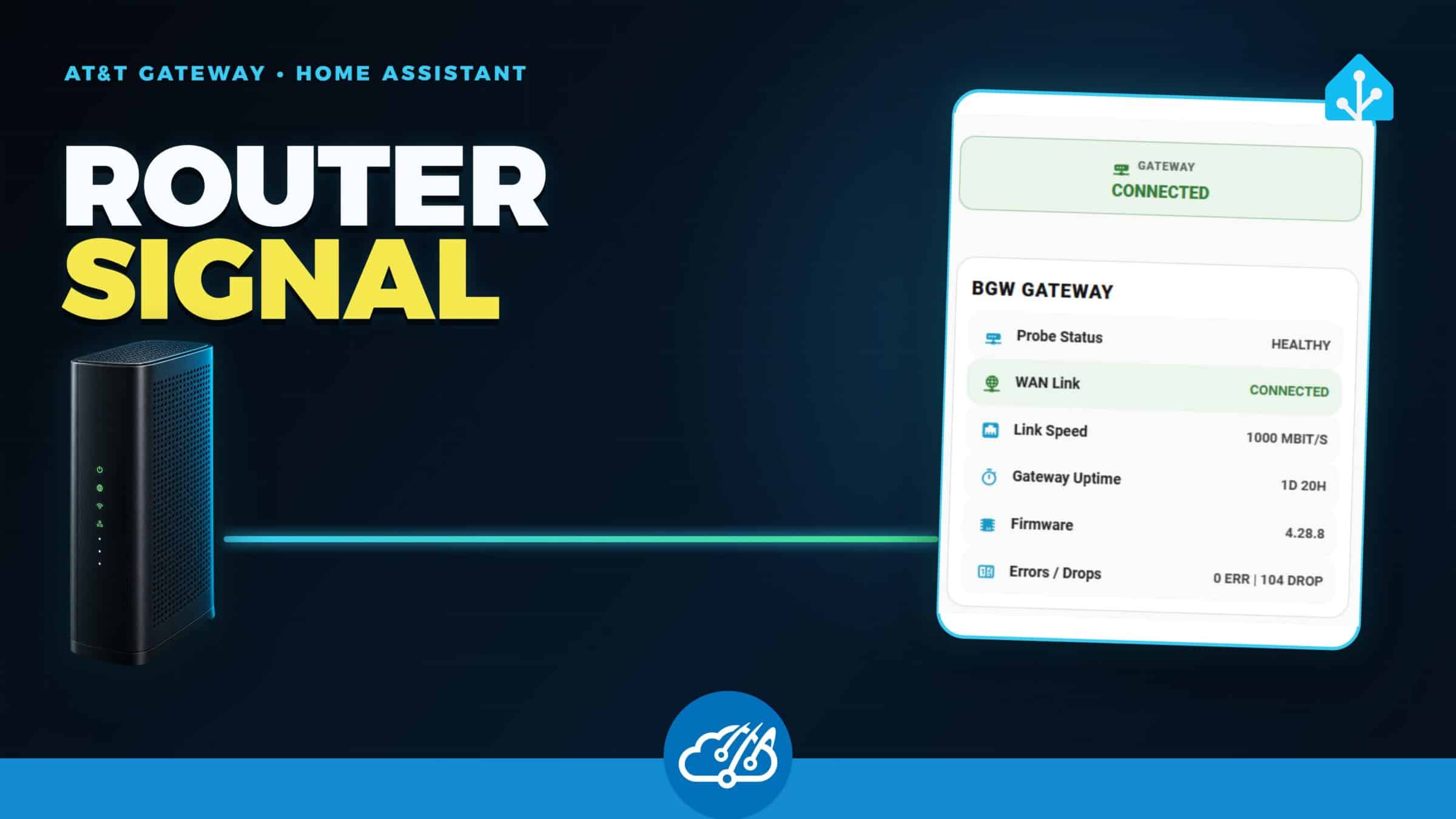
My AT&T gateway exposes plenty of useful health information, but most of it lives on status pages that Home Assistant and local agents cannot use directly. I wanted uptime, broadband state, negotiated speed, firmware, errors, and dropped packets available as normal telemetry without giving another service control of the router.
BGW Probe is the small read-only collector I built for that job. It can run once as a Python command-line tool or stay online as a Docker service with a cached JSON endpoint. The first release is tested against my BGW210-700, with parser coverage aimed at the page and field names shared by BGW210 and BGW320 firmware.
Keep the router boundary narrow
The collector reads status pages that do not require the gateway device access code. Its output uses an explicit allowlist, so serial numbers, MAC addresses, IP and DNS details, Wi-Fi settings, logs, and credentials never appear in the API response.
BGW Probe is deliberately telemetry-only. It does not change firewall rules, Wi-Fi settings, or gateway configuration. That makes it suitable as an out-of-band signal source: Home Assistant or an agent can observe what happened without gaining another path to reconfigure the network.
Run it as a CLI or a small container
The Python package has no runtime dependencies outside the standard library. A one-shot check is useful for troubleshooting or testing parser support:
python -m pip install .
BGW_URL=https://192.168.1.254 bgw-probe once --pretty
For continuous monitoring, the included Docker Compose service polls the gateway independently and serves the last usable snapshot at /api/v1/status. The container defaults to a read-only filesystem, drops Linux capabilities, uses no-new-privileges, and binds the published port to localhost unless you change the listen address. Keep the endpoint on a trusted local network.
The cached response also prevents every downstream tool from opening its own session against the gateway. Home Assistant, a Prometheus adapter, and an agent can all read the same snapshot while the collector controls the polling rate.
Turn the snapshot into Home Assistant entities
The repository includes a Home Assistant package example. One REST request supplies gateway connectivity, broadband state, uptime, traffic counters, speed, firmware, errors, and drops. The final numeric sensors use the appropriate units and state classes so Home Assistant can retain useful history instead of recording every raw poll as a new event.
| Signal | What it can answer |
|---|---|
| Gateway uptime | Did the gateway reboot, and roughly when? |
| Broadband connection and line state | Is the AT&T link up independently of a speed test? |
| Negotiated speed | What link rate did the gateway establish? |
| Error and drop counters | Did the interface accumulate trouble while it remained connected? |
| Collector freshness | Is the latest snapshot recent enough to trust? |
My production version feeds the Home Assistant Network page alongside the independent WAN checks from my internet monitoring setup. A speed test measures capacity at one moment; the gateway probe adds device uptime and link evidence that the speed test cannot provide.
Use the signal before an automation acts
Once the gateway data is in Home Assistant, a reboot can become a timestamped event instead of a guess. An outage automation can start a timer, wait for corroborating reachability failures, and create a Home Assistant Repair only when the evidence agrees. A local AI agent can also inspect the same snapshot before recommending a restart or blaming another service.
That evidence-first split matters in my setup. BGW Probe reports the gateway and broadband link; separate probes report internet reachability, latency, packet loss, and Ookla capacity. No single measurement has to pretend it explains the whole connection.
Credit for the starting point
Seth Rose’s BGW320-CLI showed how much useful information these gateways expose and helped identify the shared status-page surface. BGW Probe is an independent standard-library implementation with a narrower read-only output and a container/API path aimed at Home Assistant and local automation.
Watch the short walkthrough
The video shows the real Home Assistant card, the CLI and Docker options, the public repository, and several ways the telemetry can support outage and reboot automations.