Sure, it’s a deep rabbit hole, but as a consultant I am frequently leveraging Citrix XenApp to get into an environment and then using RDP from that session to get to the servers I really need to work on. I’ve recently started noticing that when I am connecting to a Windows 2012 Server, the mouse is very slow and jittery. Very similar to when in a Virtual Machine and hardware acceleration is not enabled.
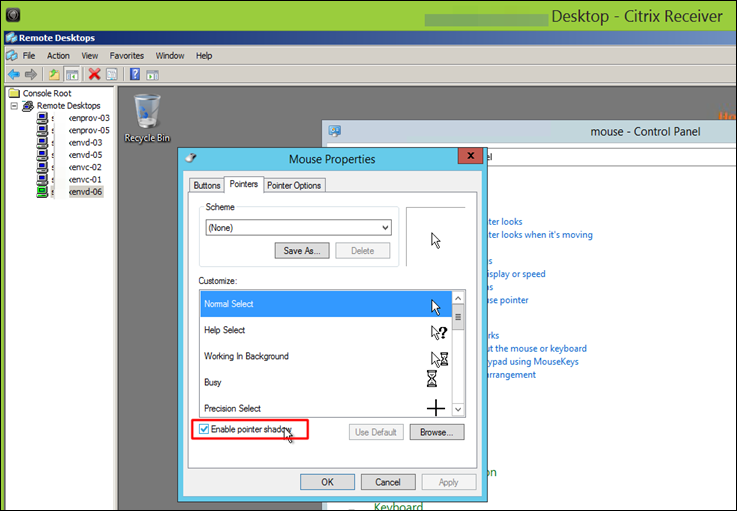
After a bit of Googlin’ around, turns out the fix is to deselect the Mouse Pointer Shadows on the target 2012 server.
Instant Speed!
Thank you internet.
Advertisement