

Home Assistant Caught My HVAC Failure
How Home Assistant recorder history, Frigate footage, and a small maintenance dashboard turned a failed blower into runtime-based filter reminders and condenser line cleanout alerts.
Home Assistant didn’t diagnose a bad blower motor by itself. What it did was expose the clue that mattered: the downstairs AC was actively cooling, but the house temperature kept rising. That was enough evidence to stop treating it like a comfort problem and start treating it like a mechanical problem.
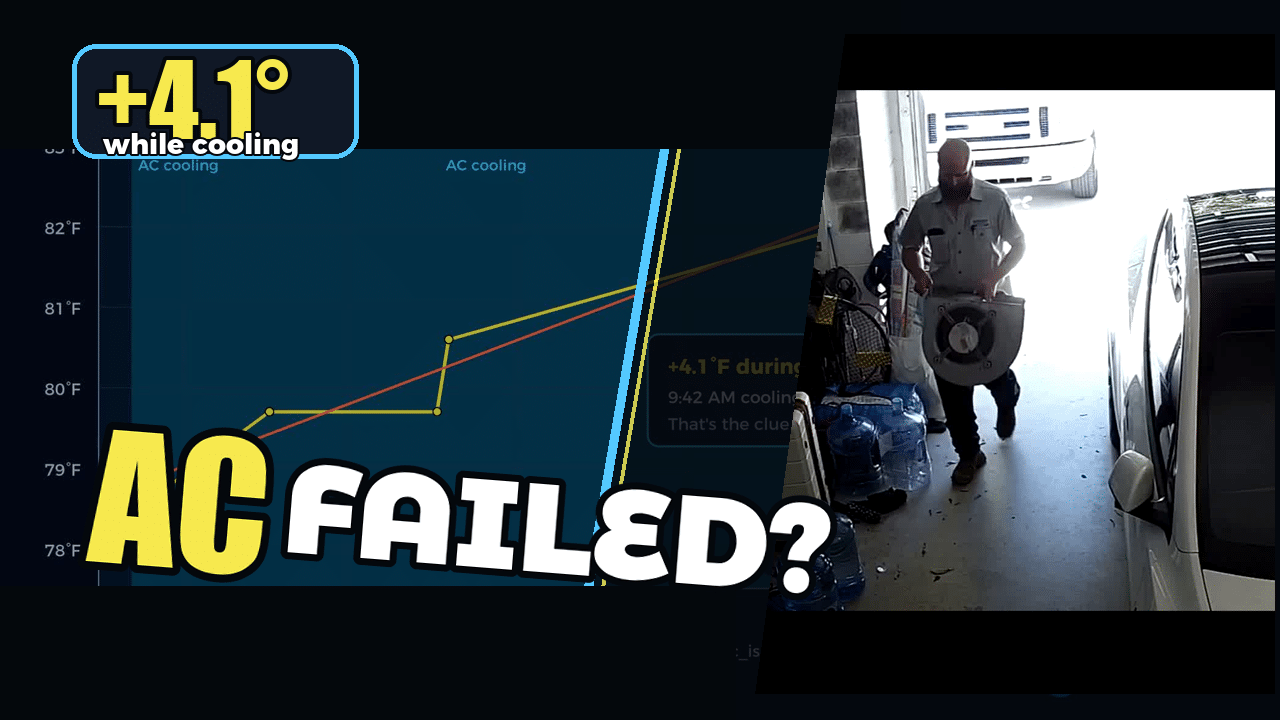
The clue Home Assistant caught
The useful signal was simple: cooling was on, but the downstairs temperature climbed anyway. Recorder history made that visible, and Frigate footage helped turn the timeline into a full story: symptom, service visit, replacement blower, and then maintenance changes that prevent the same category of thing from being forgotten.
That is the part I like about this setup. Home Assistant doesn’t need to be magical. It just needs to preserve enough context that you can see when the house is acting wrong.
Why this became a maintenance dashboard
After the repair, I tightened up the Home Maintenance dashboard so the HVAC items are visible in one place: downstairs runtime, upstairs runtime, last filter change dates, reset actions, and condenser line cleanout tracking. The dashboard is intentionally boring. It is there so the next maintenance task has a clear state and a clear reset button.
The implementation lives in the public repo in config/packages/climate.yaml, with the dashboard card references in config/dashboards/overview/partials/water_sections.yaml.
Runtime beats calendar-only reminders
The filter reminder is based on AC runtime first. That matters because spring and winter can have long stretches where the system barely runs. A pure calendar reminder would age the filter even when the blower is not doing much work.
For these one-inch MERV 8 filters, I set both systems to remind at 350 cooling runtime hours. I also kept a 9-month hard limit, because filters still sit in the return, collect dust, and get forgotten. Runtime handles seasonality. The age limit catches neglect.
The reminder loop
The notification pattern is the same one I use elsewhere: alert when the threshold is crossed, provide a 3-day snooze, and provide a direct action that runs the reset script after the filter is changed. The reset updates the date helper, clears the snooze, and resets the runtime odometer.
I covered that broader notification pattern in the Home Assistant notification snooze button walkthrough, and the older iOS actionable notification foundation is still here: Home Assistant iOS actionable notifications.
Condenser line cleanout tracking
The same loop now tracks condenser line cleanout as a single shared maintenance item. We would never clean one line and ignore the other, so the dashboard only needs one last-cleaned date and one reset action. That alert runs on a 360-day interval and uses the same 3-day snooze behavior.
The related planning thread is also captured in GitHub issue #273, which started as filter-change tracking and now includes the condenser-line reminder as part of the same maintenance workflow.
Watch the walkthrough
The video shows the evidence chart, the service-call footage, the dashboard, the reset flow, and the YAML pieces that make the reminders work.